Look, finding a company’s website should be easy. You’ve got the name, you Google it, done. Except it’s not that simple.
We learned this the hard way after talking to dozens of people who do this regularly—sales teams, researchers, data analysts, marketing agencies. They all hit the same wall: it works fine for one or two companies, but try doing it for 50? 100? It becomes a nightmare.
The problem gets worse when the company name is generic (“Global Solutions Inc”), newly formed, or there are five other businesses with the same name in different states. Suddenly you’re not sure if you’re looking at the right company or some random LLC in Delaware.
If you’re enriching CRM data, verifying leads, or building prospect lists, getting the right website matters. Send an email to the wrong domain and you look sloppy at best, scammy at worst. So here’s what actually works.
Yeah, everyone knows to Google it. But most people just type in the company name and hope for the best.
Try this instead:
For companies with unique names, the official site usually shows up first. For generic names? You’ll need the extra context.
One thing we’ve noticed: the first result isn’t always right. Sometimes it’s a review site, a news article about them, or a completely different company. Always check the URL and description before clicking.
When Google gives you five possible companies, LinkedIn usually clears it up fast. Most companies list their website on their LinkedIn page, and you can cross-reference the location, employee count, and industry to make sure it’s the right one.
Other places worth checking:
These matter more than you’d think. We talked to one team that wasted hours emailing the wrong company because they grabbed the first .com they found. Turns out their target was a UK company with a .co.uk domain. LinkedIn would’ve caught that immediately.
If you find a domain but something feels off, run it through a WHOIS lookup. You’ll see when it was registered, who owns it (sometimes), and what registrar they used.
This helps when you’re wondering: “Is this their real website or some affiliate reseller pretending to be them?”
It’s not something you need for every search, but when you’re about to sign a contract or send a big payment, spending 30 seconds on a WHOIS lookup is worth it. A few people I spoke with mentioned they do this a few times a year when authenticity really matters.
Here’s where the manual approach breaks down completely.
If you’ve got a spreadsheet with 500 company names and you need websites for all of them, you’re not going to Google each one. You’ll go insane.
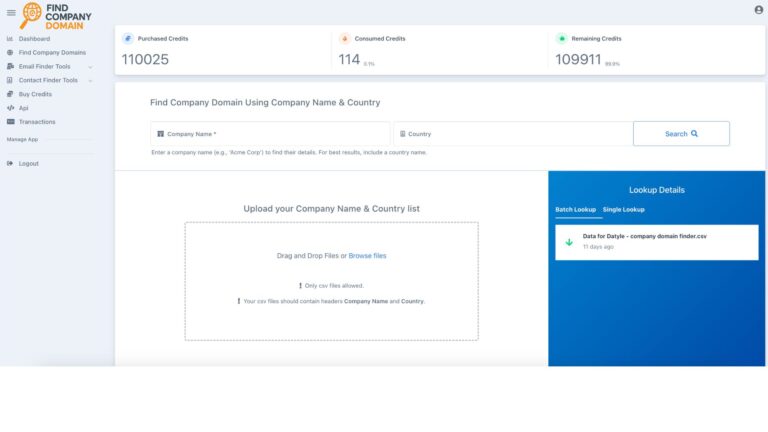
This is where company name-to-domain tools come in. You upload your list, and they match company names against massive business databases to return the most likely official domain. Some tools (like ours at FindCompanyDomain.com) hit around 97% accuracy.
These tools usually support:
One of our clients has a lead gen form that gets about 50 submissions a month. They don’t collect website URLs, and they can’t force people to use business emails because a lot of their customers only have Gmail addresses. But they do collect the company name. So they hooked up our API—when someone submits the form with a free email, it automatically looks up their company website in the background. Saves them hours every month.
If finding company websites is part of your weekly workflow, automation makes sense.
You can:
The advantage isn’t just speed—it’s consistency. Humans make mistakes when they’re processing the 47th company on a list. Automation doesn’t.
Trusting the first Google result blindly
Like we said earlier, it’s not always right. Verify before you move forward.
Ignoring variations in company names
“ABC Corp” vs “ABC Corporation” vs “ABC Corp Ltd”—these all might return different results. Try to standardize names before you start searching.
Using old data without checking
Companies rebrand, get acquired, or let domains expire. If your data is more than a year old, double-check everything.
After watching people struggle with this, here’s what separates good results from garbage:
Flag anything ambiguous for manual review. Yes, it’s annoying. But it’s better than confidently using the wrong domain.
Finding company websites doesn’t have to be guesswork, but it does require a system.
For occasional lookups, Google plus LinkedIn gets you most of the way there. For regular or large-scale work, automated enrichment tools are the only realistic option.
Getting the domain right upfront saves you from a cascade of problems later—bad data in your CRM, emails bouncing, outreach that goes nowhere. It’s a small step, but it affects everything downstream.
One last thing: We’’ve seen teams rely fully on ChatGPT or similar tools for this at scale. It doesn’t work. AI hallucinates domains that don’t exist, mixes up similar company names, and gives you confident answers that are completely wrong. For one-off questions, sure. For actual data work? Use tools built specifically for this.
That’s it. Start simple, automate when it makes sense, and always verify when accuracy matters.